


 djtuc
djtuc
Hey fellow virtualdj family can any of you guys & gals help me out with this one. I'm using the Broadcaster Boilerplate skin & I'm running the 3 cams, the cam on my laptop for the up-close microphone shot, another for the frontview shot & another for the overhead turntable shot. The skin works great once I get all three cams connected online for my social media live broadcasted dj mix show. My only beef is when using the automated camera rotation, which is 30sec shot per cam, there is no way to individually modify the time limit per camera. For example, it limits you to 30sec for each cam, let's say I want 60sec on Front cam 1, & 30sec on overhead turntable shot cam 2, & 15sec on the up-close shot for cam 3. Is there an update or can the script be modified or does anyone have a modified version already thanks inadvance virtual dj crew?
Posted yesterday @ 5:20 pm
 locoDog
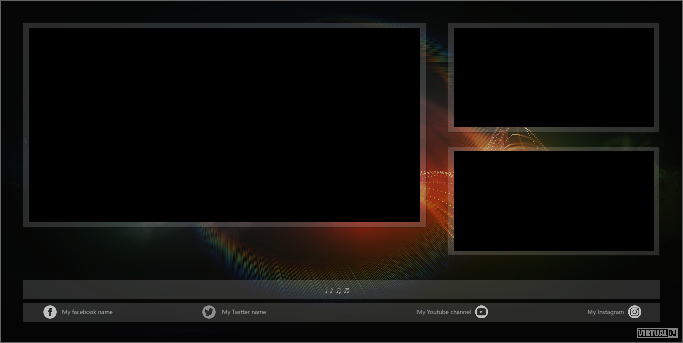
Forgive me because I have to remind myself not using that skin
the above shown layout?
Is the camera rotation a padpage thing or something else'?
It's likely script causing the rotation so can be manipulated but I need to remember where that script is.
Posted yesterday @ 8:52 pm
djtuc
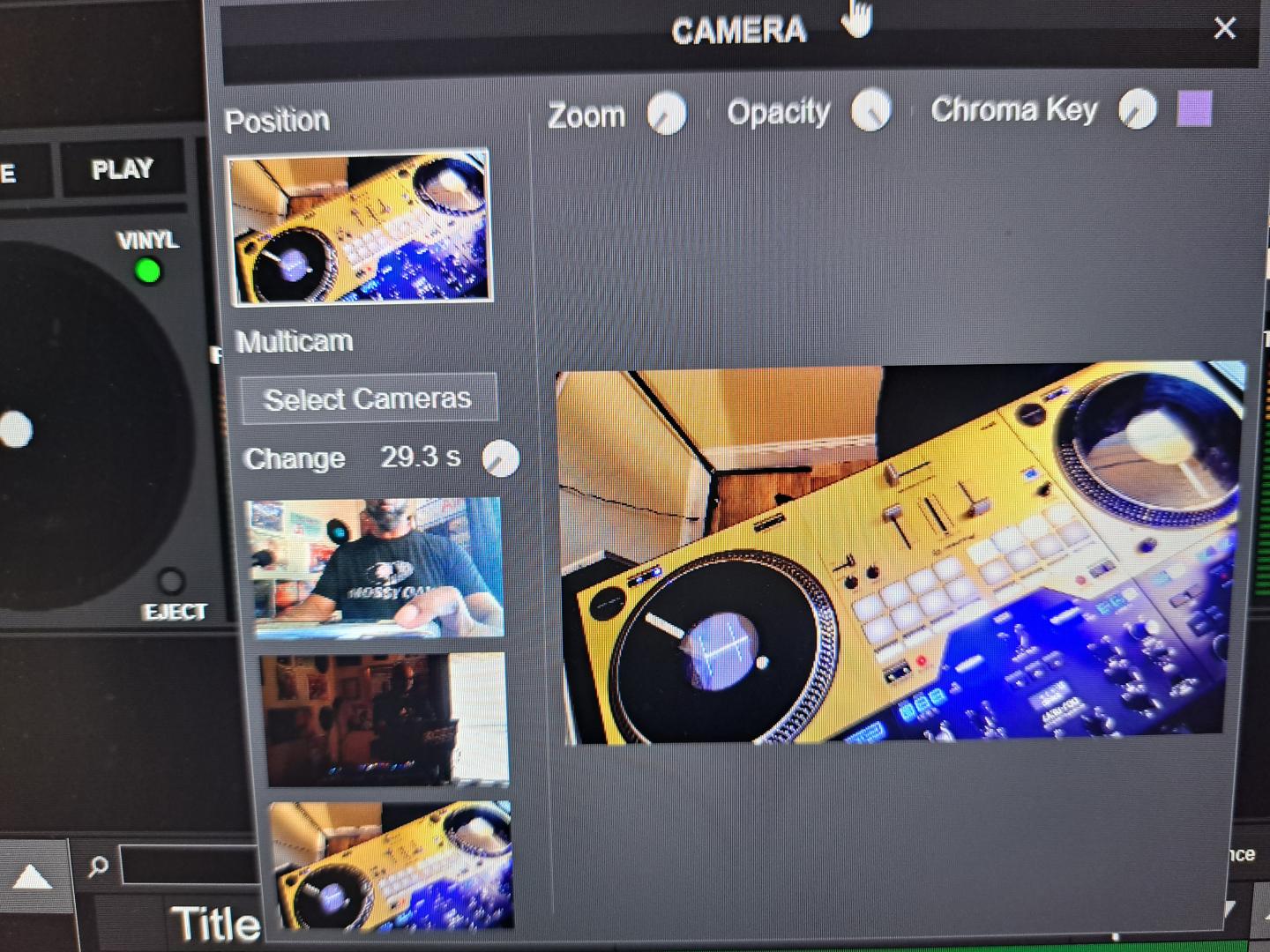
Here's a quick image I just use the full screen square shot pane because it covers the entire screen for my viewers and it just looks much better in my opinion. As you can see the 29.3 sec while using multi cams is set as a global parameter for all cameras. If would be nice to have individual knobs for each cam to set a specific time for each cam as aforementioned before. I like the automation pan because it negates the need for someone to manually to run them a big plus! I just need an updated script added to the video skin & BAM its perfect & nice feature would be to add customizable bar footer when going live to promote your social media handles, title of your show, subscriptions, or logo. But for right now to control timers for each cam is paramount. If you can add those features to that skin I'D BE ONE HAPPY CAMPER in 2026!! Thanks in advance djtuc999 P.S. I'd be willing to compensate with a small donation that's how bad I want this.
Posted 24 hours ago
locoDog
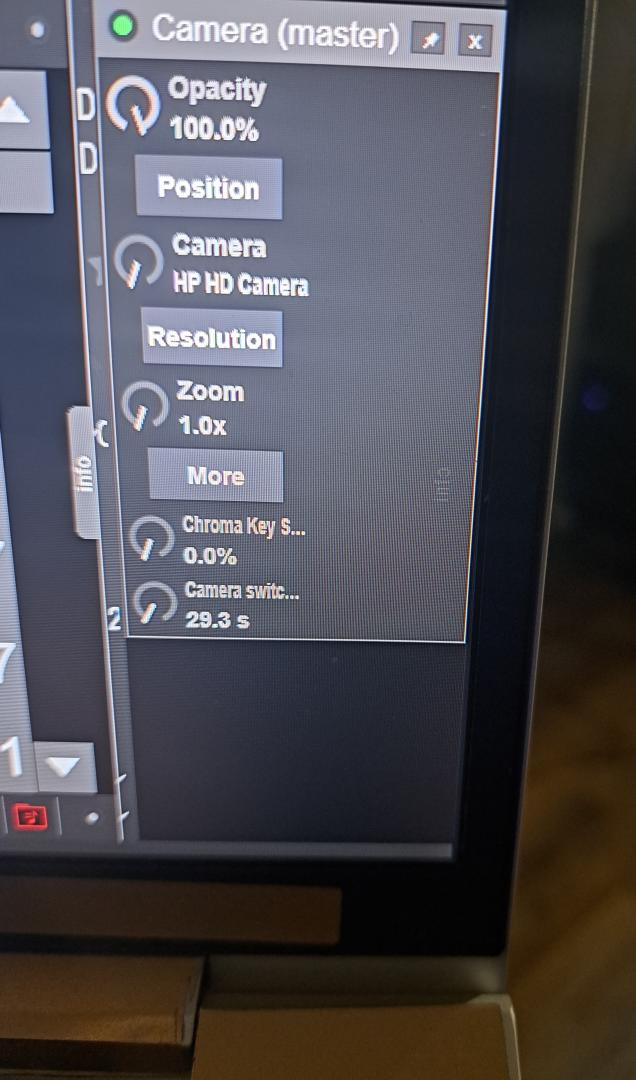
can you show the earlier gui before the "more" click
Also can you give camera names
Also can you give camera names
Posted 23 hours ago
djtuc
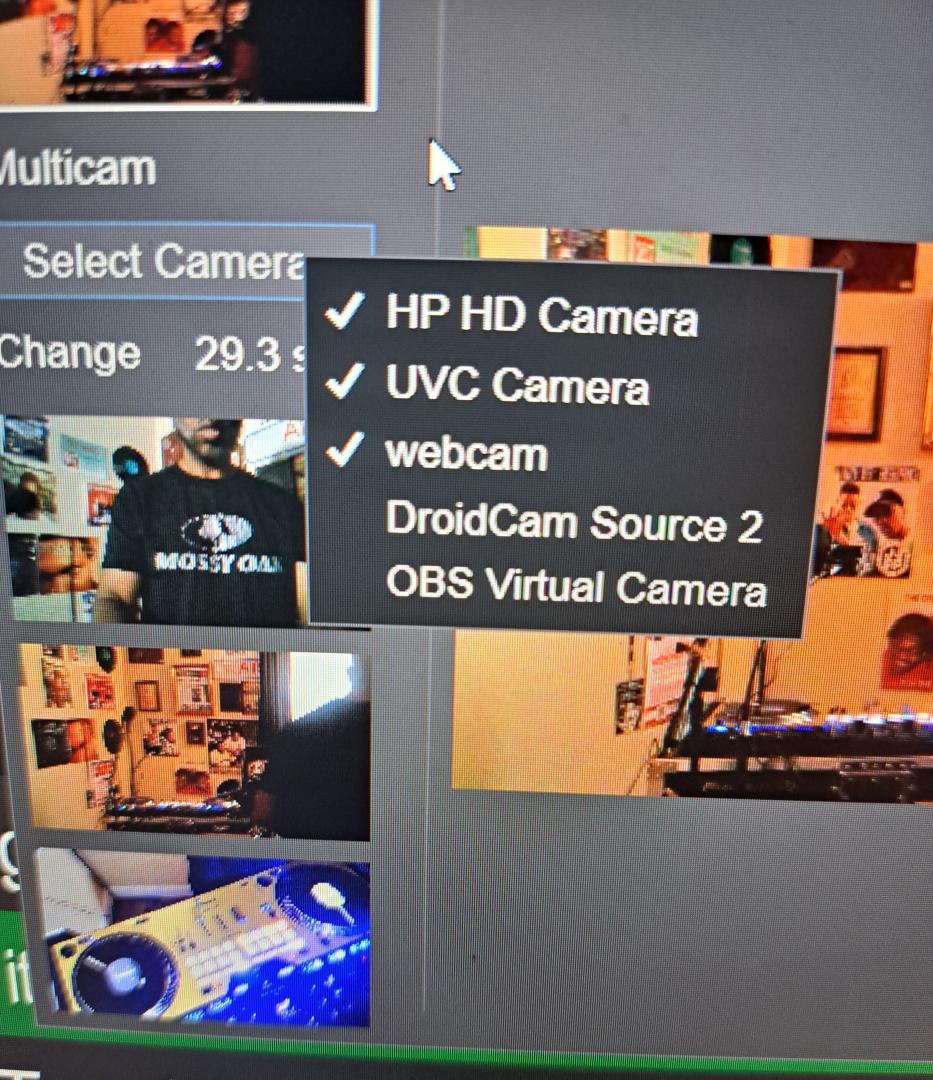
Cams with checks are rotated in the top to bottom order starting with my Laptops "HP Cam" as you see here in the pic GUI. These are the ones I use disregard the other two please.
Posted 19 hours ago
locoDog
deck master repeat_start rsMyCamSwap ? repeat_stop rsMyCamSwap & repeat_stop rsMyCamSwapSlider :

set $myTimeLimit1 60 & set $myTimeLimit2 30 & set $myTimeLimit3 15 &

effect_slider camera 5 0.0 &
repeat_start rsMyCamSwap 1000ms -1 & repeat_start rsiMyCamSwapSlider ? :
cycle $camTimer 602 &

( get_effect_slider_text camera 2 & param_equal "HP HD Camera" ?
set $camInUse 1 & set $cam1Name `get_effect_slider_text camera 2`
 : param_equal "UVC Camera" ?
set $camInUse 2  & set $cam2Name `get_effect_slider_text camera 2`
 : param_equal "webcam"  ?
set $camInUse 3  & set $cam3Name `get_effect_slider_text camera 2`  :  ) &

var $camInUse 1 ? var_greater $camTimer $myTimeLimit1 ? set $camTimer 0 &
repeat_start_instant rsiMyCamSwapSlider 25ms 34 &
get_effect_slider_text camera 2 & param_equal `get_var $cam2Name` ? repeat_stop rsiMyCamSwapSlider : effect_slider camera 2 +0.03 : :

var $camInUse 2 ? var_greater $camTimer $myTimeLimit2 ? set $camTimer 0 &
repeat_start_instant rsiMyCamSwapSlider 25ms 34 &
get_effect_slider_text camera 2 & param_equal  `get_var $cam3Name` ?
repeat_stop rsiMyCamSwapSlider : effect_slider camera 2 +0.03 : :

var $camInUse 3 ? var_greater $camTimer $myTimeLimit3 ? set $camTimer 0 &
effect_slider camera 2 0.0 &
repeat_start_instant rsiMyCamSwapSlider 25ms 34 &
get_effect_slider_text camera 2 & param_equal  `get_var $cam1Name` ?
repeat_stop rsiMyCamSwapSlider : effect_slider camera 2 +0.03 : :
I think that's it,
put it on a custom_button and press it to run
there's only 2 sections of user serviceable parts here
This bit is your time limits in seconds, can got up to 10 minutes
I've used times you stated as example
set $myTimeLimit1 60 & set $myTimeLimit2 30 & set $myTimeLimit3 15 &
The the other bit the part in ( )
( get_effect_slider_text camera 2 & param_equal "HP HD Camera" ?
set $camInUse 1 & set $cam1Name `get_effect_slider_text camera 2`
 : param_equal "UVC Camera" ?
set $camInUse 2  & set $cam2Name `get_effect_slider_text camera 2`
 : param_equal "webcam"  ?
set $camInUse 3  & set $cam3Name `get_effect_slider_text camera 2`  :  ) &
You'll want to make sure this list of camera names is in the correct order and name written exactly as they found in camera plugin
basically it ticks a counter once a second and checks what cam it is on.
if timer has exceeded timeLimit for this cam it starts a really quick process where it keeps poking the camera slider until the next camera is found [this process takes < 1s]
It also resets the timer to zero.
As for skin tweaks we'll have to talk in pm for exactly what you want.
Summer beer fund link on my profile page.
Posted 18 hours ago
djtuc
Ok thanks I will start working implementing this script starting tomorrow morn (EST) no time today because I can't afford messing with it today because my show goes live tonight at 10pm can't risk it messing with the script bc of tonight. After I've had a chance to work on this making sure everything runs smoothly l'll be getting back to confirm & help you with that beer run funding. (Lol) My word is bond! Thanks for taking the time to assist me. I can't wait to try it & see what happens. Peace djtuc999
Posted 6 hours ago
locoDog
Oh indeed, test on the off days not the show days.
Posted 5 hours ago