


 The Party Engineer
It would be nice, in order to save some space at browser, if the info shown at the Fluid collum, can also shown with symbols (like ~) at the BPM collum. For example, a tik (like the one shown at the key collum) could indicate that the track has been analyzed with fluid beat grid.
Thanks
Thanks
Posted Wed 01 Apr 26 @ 6:50 pm
 kradcliffe
It already is. Maybe you just need to widen the column?
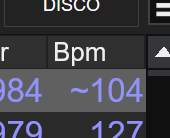
Posted Wed 01 Apr 26 @ 7:00 pm
The Party Engineer
kradcliffe wrote :
It already is. Maybe you just need to widen the column?
The ~ symbol don’t always means that the track has been analyzed as fluid beatgrid. I see the ~ symbol at tracks that have been set as variable beat grid with old versions of VDJ. A tik symbol together with the ~, will be nice to indicate that track has fluid beatgrid and indeed is been analyzed as flued.
Posted Sun 05 Apr 26 @ 12:11 pm
 DJ VinylTouch
I respect that request, but I'm not sure I see the value of the suggestion.
The BPM column, imo and based on the fact they separated that type of knowledge (fluid vs old variable analyzed) into a separate column, would be used by DJ to know if a song would be mixable by what is currently playing - the BPM and whether it changes or not throughout the song - the analysis used to get to that shouldn't matter.
The only reason I would think someone wants specific analysis type information like that, is to redo the analysis with the better engine to get a better grid/understanding pf the BPM of the track throughout, and given the column and the ability to make a filter foldee on the specific analysis type - you could just use of those to collect those type of songs quickly and re-analyze.
If you put that info in the BPM column now, they would have to continue updating that info everytime there is an improvement the the analysis engines (both the stable and the fluid/variable analysis have much room for improvement still), which would mean more indicators to represent this and more info to potentially decode while playing.
It's up to the devs to decide on that one, but if decided to implement, I would tack on making that info in the BPM column optional.
The BPM column, imo and based on the fact they separated that type of knowledge (fluid vs old variable analyzed) into a separate column, would be used by DJ to know if a song would be mixable by what is currently playing - the BPM and whether it changes or not throughout the song - the analysis used to get to that shouldn't matter.
The only reason I would think someone wants specific analysis type information like that, is to redo the analysis with the better engine to get a better grid/understanding pf the BPM of the track throughout, and given the column and the ability to make a filter foldee on the specific analysis type - you could just use of those to collect those type of songs quickly and re-analyze.
If you put that info in the BPM column now, they would have to continue updating that info everytime there is an improvement the the analysis engines (both the stable and the fluid/variable analysis have much room for improvement still), which would mean more indicators to represent this and more info to potentially decode while playing.
It's up to the devs to decide on that one, but if decided to implement, I would tack on making that info in the BPM column optional.
Posted Sun 05 Apr 26 @ 2:03 pm
 IIDEEJAYII
Maybe the info you are looking for is in the browser, "Fluid" column.
It shows if Fluid is suggested = need
If the track has new Fluid CBG = yes
if previous/old Mulit-BPM CBG = fast
or if Rigid CBG = nothing (blank)

note: the column can be reduced to 1 character wide, '
to show: n, y, f or nothing
and not use precious browser realestate.
And YES both the fast and yes type of CBGs have the tilde, in the BPM column.
It shows if Fluid is suggested = need
If the track has new Fluid CBG = yes
if previous/old Mulit-BPM CBG = fast
or if Rigid CBG = nothing (blank)
note: the column can be reduced to 1 character wide, '
to show: n, y, f or nothing
and not use precious browser realestate.
And YES both the fast and yes type of CBGs have the tilde, in the BPM column.
Posted Sun 05 Apr 26 @ 9:11 pm