Mellpot
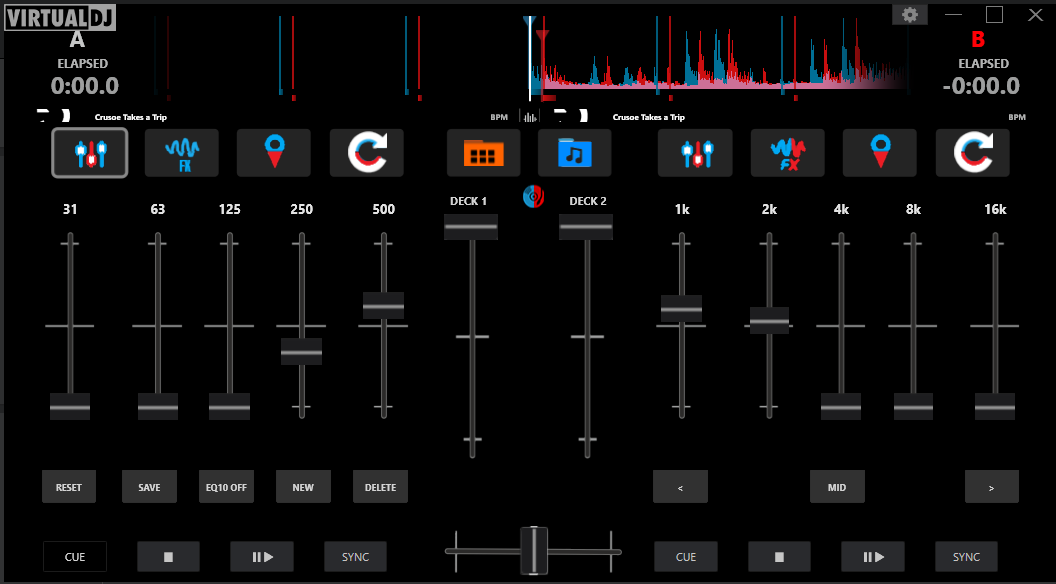
Possibly an old question but has EQ10 Extension been removed ??
Posted Tue 31 Mar 26 @ 10:29 pm
 DJ VinylTouch
It's not removed.
Posted Tue 31 Mar 26 @ 10:47 pm
 fallguy66
Where is it?
Posted Wed 01 Apr 26 @ 12:45 pm
DJ VinylTouch
In the Default list unless you removed it
Read here: https://virtualdj.com/manuals/virtualdj/interface/decks/decksadvanced/effects.html
Read here: https://virtualdj.com/manuals/virtualdj/interface/decks/decksadvanced/effects.html
Posted Wed 01 Apr 26 @ 12:53 pm
fallguy66
I installed it years ago from extensions. It is not there now!
Posted Wed 01 Apr 26 @ 10:34 pm
DJ VinylTouch
Once again, it is there - it's just most likely not included in your Default list.
Read the manual page above that was provided, and either add it to the Default List or switch the the Full list to see it.
Read the manual page above that was provided, and either add it to the Default List or switch the the Full list to see it.
Posted Wed 01 Apr 26 @ 10:48 pm
fallguy66
I am not being very clear. EQ10 appears on my interface, I use Blocks. I, however, do not see it in extensions in order to add it. I know I do not need to add it; I was just curious to see if it was still there and it is not!
Posted Thu 02 Apr 26 @ 12:28 pm
DJ VinylTouch
The answer was already given - please read the manual section.
EQ10 is now part of the default set of effects that come with VirtualDJ 2026 - there is no need to look for an extension for it and the other effects that the Atomix dev team provided - they are included by default and organizable into lists for efficient access.
Also take a look at this video:
EQ10 is now part of the default set of effects that come with VirtualDJ 2026 - there is no need to look for an extension for it and the other effects that the Atomix dev team provided - they are included by default and organizable into lists for efficient access.
Also take a look at this video:
And Klaus' video:
Posted Thu 02 Apr 26 @ 12:49 pm