


 Hi-Fi Productions
I’m sure it will happen in the future but I hope the lyrics size changes.
I think VDJ needs to make the overall interface easier to read and navigate.
Too much is going on and unnecessary things on the main screen
More things need to be hidden when not needed after being changed or edited.
When DJing I just need to see a bigger jog wheel and time stamp
Good clean Wazeform and lyrics size
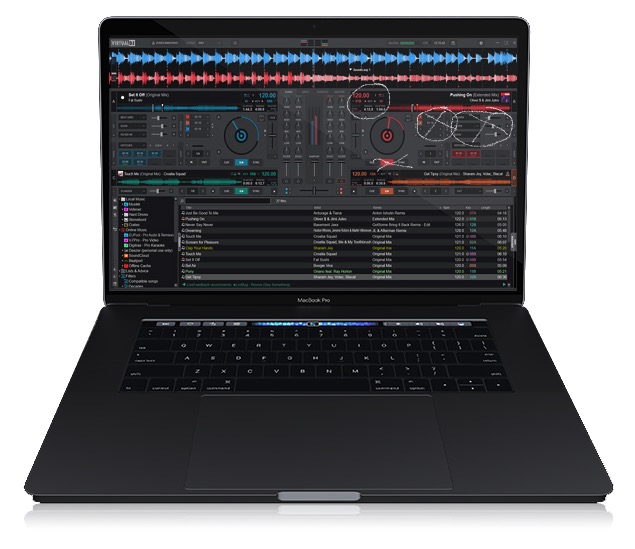
I think VDJ needs to make the overall interface easier to read and navigate.
Too much is going on and unnecessary things on the main screen
More things need to be hidden when not needed after being changed or edited.
When DJing I just need to see a bigger jog wheel and time stamp
Good clean Wazeform and lyrics size
Posted Wed 04 Mar 26 @ 3:32 pm
 freppa
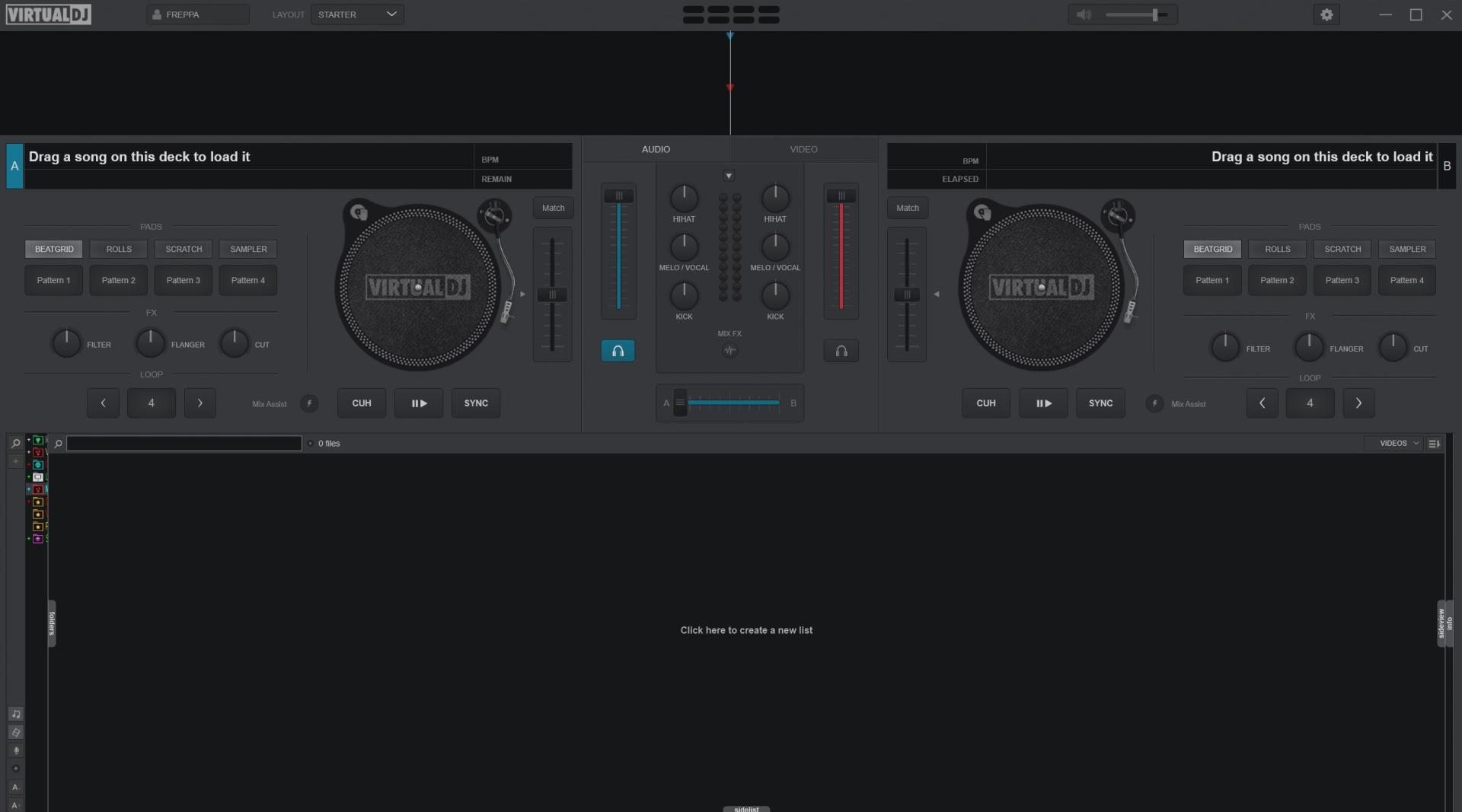
If you want you can change skins for better experience, example "Starter" layout
Posted Wed 04 Mar 26 @ 5:14 pm
Hi-Fi Productions
Yea they need to build off the starter skin
My main thing is text size to be visible from a standing view while DJing
The screen and software revolves too much around people the mix and DJ from the laptop with no controller.
I love the software but the clutter is too much. Even with the wave lyrics.
I love the feature but the text is so small
But I patients. I know the software will upgrade eventually
My main thing is text size to be visible from a standing view while DJing
The screen and software revolves too much around people the mix and DJ from the laptop with no controller.
I love the software but the clutter is too much. Even with the wave lyrics.
I love the feature but the text is so small
But I patients. I know the software will upgrade eventually
Posted Wed 04 Mar 26 @ 5:45 pm
 DJ VinylTouch
Try third party skins (Vanced GT has excellent spacing and larger font support and @PhantomDeejay's GTS 2025 is also well scaled and packed full of features).
Posted Wed 04 Mar 26 @ 7:20 pm
 HardyHardwich82
You can edit the skin and change the font size of the text at the waveform.
Go to edit skin in vdj, make a backup of the original file and search with e.g. notepad++ for:
It look like this:
Now look for:
And change the fontsize, then save the file and restart vdj.
Else you can build a skin, like u want with the skin editor. Be free.
Go to edit skin in vdj, make a backup of the original file and search with e.g. notepad++ for:
<scratchwave
It look like this:
<scratchwave deck="1" orientation="horizontal" color="scratch1" color2="scratch2">
					<pos x="0" y="+45+12"/>
					<size width="1920" height="43-24"/>
					<grid size="1" mainsize="4" height="8" pos="-10" maincolor="deckcolor" color="darkgray" mirrored="true" shapepos="-12" shapemirrored="down"/>
					<gridlines width="1" color="darkgray" transparency="0.5"/>
					<cue y="-12" height="15">
						<mask x="307" y="0" width="15" height="15"/>
						<text dx="+12" dy="-2" weight="" fontsize="15" color="textdarker"/>
					</cue>
					<overlay>
						<pos x="960" y="-12"/>
						<size width="1" height="43" />
						<background color="needle" shape="square" />
				 	</overlay>
				</scratchwave>
Now look for:
<text dx="+12" dy="-2" weight="" fontsize="15" color="textdarker"/>
And change the fontsize, then save the file and restart vdj.
Else you can build a skin, like u want with the skin editor. Be free.
Posted Thu 05 Mar 26 @ 7:23 am
freppa
Why not help him with that, and send him the skin ;)
All are not that comfy to do things like that..
All are not that comfy to do things like that..
Posted Wed 11 Mar 26 @ 5:39 pm
 klausmogensen
It's part of the latest (second) early access release:
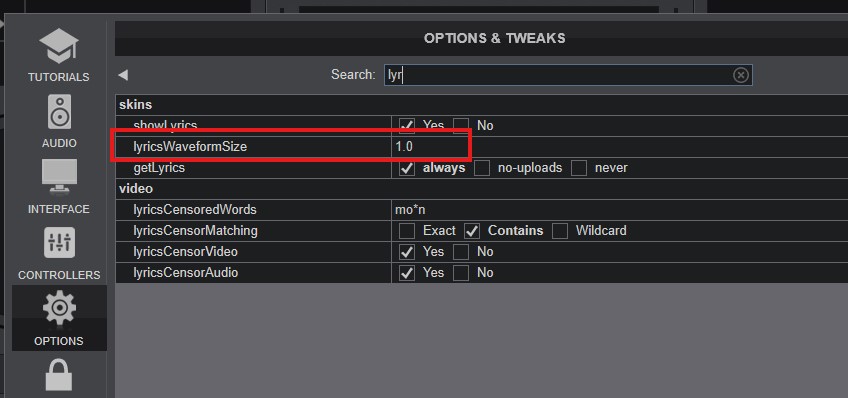
When set to 3.0 as an example:
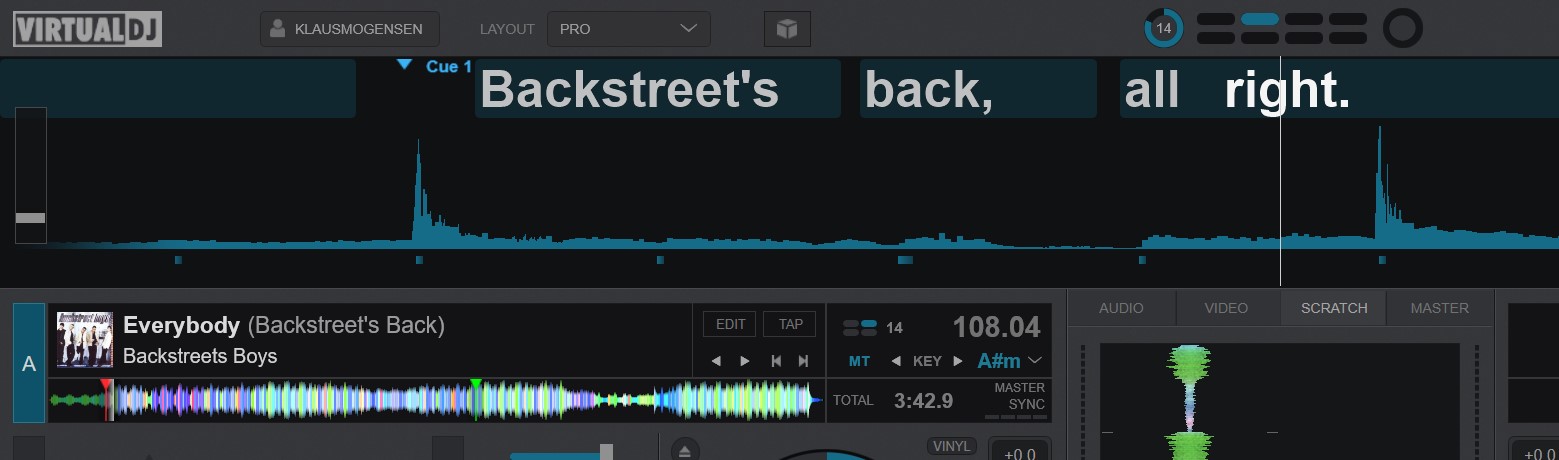
When set to 3.0 as an example:
Posted Thu 12 Mar 26 @ 11:06 am
Hi-Fi Productions
NICE, thanks a lot
looking forward to the next public release
looking forward to the next public release
Posted Thu 12 Mar 26 @ 2:58 pm
HardyHardwich82
freppa wrote :
Why not help him with that, and send him the skin ;)
All are not that comfy to do things like that..
All are not that comfy to do things like that..
Becouse that is not the one thing of customizing.
My skin is my best choice, the next body cant work with it.
So its the best way to customiz itself like he want.
Becouse i dont know what is the best size he want and so on.
Posted Thu 19 Mar 26 @ 7:11 am