


 HardyHardwich82
if i open a copy of the original pro.xml i only see:
NUL NUL NUL NUL...
I also try to install XML Tool for Notepad ++
I can open the xml from DennYo to edit it.
NUL NUL NUL NUL...
I also try to install XML Tool for Notepad ++
I can open the xml from DennYo to edit it.
Posted Sat 14 Feb 26 @ 5:41 pm
 locoDog
You were wanting to work on controller2020 right? when you open in np++ what encoding does it say it is bottom bar right side [should say utf-8]
Posted Sat 14 Feb 26 @ 6:23 pm
HardyHardwich82
i have an changed original pro skin.
Posted Sat 14 Feb 26 @ 9:01 pm
HardyHardwich82
But i cant edit the original file.
Last time was last year.
Last time was last year.
Posted Sun 15 Feb 26 @ 10:28 am
HardyHardwich82
locoDog wrote :
You were wanting to work on controller2020 right? when you open in np++ what encoding does it say it is bottom bar right side [should say utf-8]
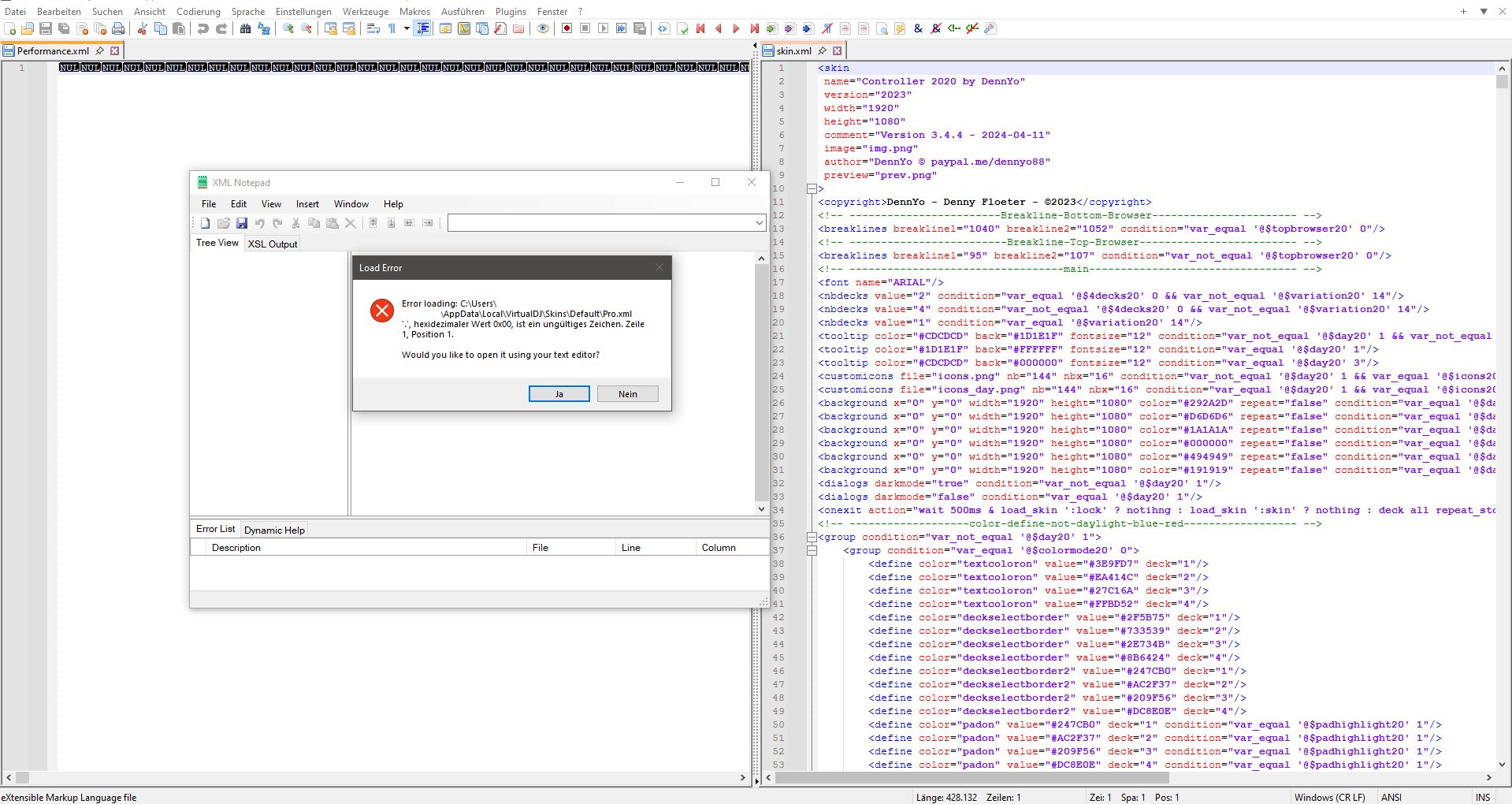
Notepad open it in ANSI, after change with coding to utf-8 or convert to utf-8 only the NUL... will dont shows and no lines are there.
I also try another tool and get an error.
There is onyl this default folder in my skin folder.
On the right window is the opened dennyo skin with utf-8.
So i think i have to repair my skin.
https://limewire.com/d/bc3Vf#4c0td8dLSP
Posted Sun 15 Feb 26 @ 10:35 am
HardyHardwich82
It seems i found the missing link,
All old zip files and skins are corrupt, maybe after copy to new pc.
I cant find my changes in the skin so vdj load an other backup skin in background, not from the skin folder.
Now i zip all and delete the folder and install latest vdj version, then the default folder is missed,
also i go to edit in vdj and there is the missing folder and i can edit the skins.
All old zip files and skins are corrupt, maybe after copy to new pc.
I cant find my changes in the skin so vdj load an other backup skin in background, not from the skin folder.
Now i zip all and delete the folder and install latest vdj version, then the default folder is missed,
also i go to edit in vdj and there is the missing folder and i can edit the skins.
Posted Sun 15 Feb 26 @ 11:32 am