


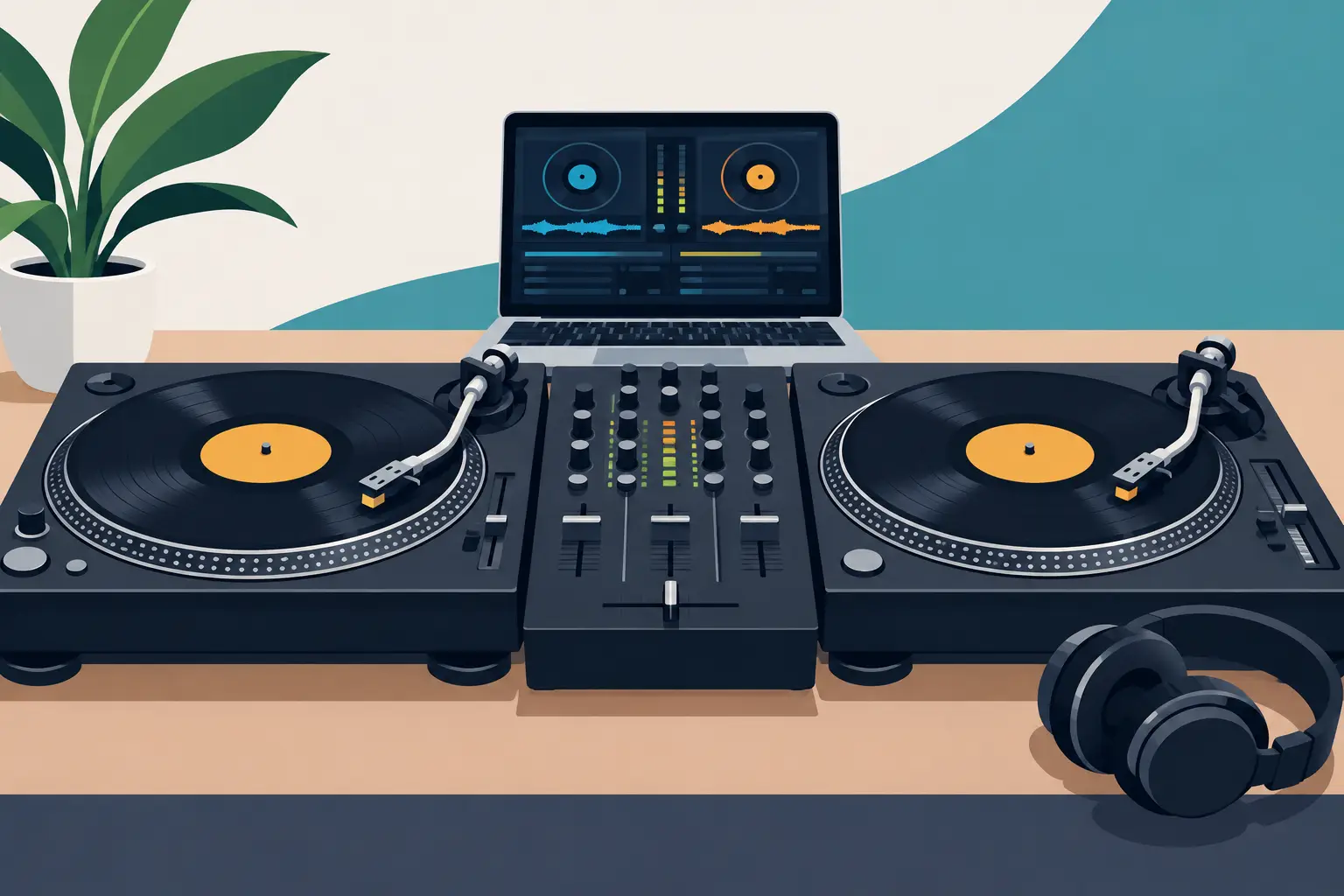
A scratch setup should disappear beneath your hands. When you throw a fast chirp, crab, flare, or transform, the sound needs to land exactly where your fader and record tell it to - not a fraction late, not with a random digital hiccup, and not after fighting a pile of settings. The best DVS setups for scratching are built around that single goal: make digital music react like vinyl while giving you more control over your crates.
That does not mean every scratch DJ needs the same gear. A bedroom turntablist, a battle competitor, and a working open-format DJ may all use DVS, but their priorities are different. Some need maximum platter feel. Some need a mixer fader that can survive hard daily use. Others need reliable performance in a dark booth with limited space. Build for your actual routine, then make every piece of the system earn its place.
What Makes a DVS Setup Scratch-Ready?
DVS, or digital vinyl system, uses timecode vinyl or timecode CDs to control tracks in DJ software. The record movement becomes data, letting you cue, juggle, scratch, loop, and switch between a deep digital library without leaving the physical workflow behind.
For scratching, three things matter most: tracking accuracy, low latency, and fader response. Tracking accuracy is how faithfully the system reads quick record movement. Latency is the tiny gap between moving the vinyl and hearing the result. Fader response determines whether sharp cuts stay sharp or smear into the next sound.
A good scratch rig also needs stable USB performance and a clean gain structure. These are less glamorous than a new mixer, but they matter when you are cutting at full speed in front of a crowd. One loose cable or overloaded laptop can turn a strong routine into a recovery exercise.
Start With the Right Turntables
For the classic DVS experience, direct-drive turntables remain the first choice. They provide the torque, platter control, and familiar resistance that scratch DJs expect. A strong direct-drive motor gets the record back to speed quickly after a back-cue, which makes fast patterns feel more consistent.
Technics-style decks are still a proven standard because their pitch control, build quality, and platter feel have shaped decades of scratch technique. They are a smart choice for DJs who want familiar mechanics and a setup that can work in clubs, studios, and battles. The trade-off is cost, especially if you are buying two decks, cartridges, cases, and a mixer at once.
Modern high-torque direct-drive turntables can be an excellent value alternative. Look for stable pitch control, solid isolation, a dependable tonearm, and torque that suits your hand. More torque is not automatically better for everyone. Some DJs prefer a slightly looser feel for longer drags and relaxed beat juggling, while aggressive scratch styles may benefit from faster recovery.
Cartridges deserve attention too. A scratch-focused cartridge should track securely and handle back-cueing without excessive skipping. Keep your stylus clean, set the recommended tracking force, and make sure the tonearm is balanced correctly. Software cannot compensate for a needle that is mistracking.
Choose a Battle Mixer, Not Just Any Mixer
The crossfader is the center of a scratch setup. If it feels stiff, has too much cut-in distance, or cannot be adjusted to your style, the rest of the rig will feel limited.
A dedicated battle mixer gives you the control that performance work demands: adjustable crossfader curve, crossfader reverse, channel-fader control, and a fader designed for fast, repeated movement. The best models also offer adjustable cut-in points, so the sound opens almost immediately when the fader leaves the edge. That short distance is critical for clean crabs, clicks, and rapid transforms.
Modern battle mixers often include built-in audio interfaces for DVS, reducing the number of boxes and cables in your signal path. This is a major advantage for mobile DJs and touring performers. Fewer connections mean faster setup and fewer potential failure points.
However, do not buy solely on feature count. Test the fader feel if possible. Some DJs want a light, loose fader for quick finger work. Others prefer a touch more resistance for control during longer blends and beat juggles. A replaceable or user-serviceable fader can also save money and downtime over the life of the mixer.
Best DVS Setups for Scratching by DJ Style
There is no single winner because a DVS rig is a system, not one product. The strongest choice depends on where and how you perform.
The turntablist setup
For pure scratch practice, routines, and battle preparation, use two high-torque direct-drive turntables, a dedicated two-channel battle mixer, timecode vinyl, and a laptop running low-latency DJ software. This is the closest digital extension of a traditional vinyl rig. It gives you full platter control, clear fader technique, and the freedom to build practice crates with instrumentals, skipless tools, acapellas, and custom samples.
This setup takes more space and requires more maintenance than a controller, but the payoff is physical precision. If your goal is to develop serious turntable technique, it is hard to beat.
The club-ready hybrid setup
A working club DJ may want turntables at home but need flexibility at gigs. In that case, pair reliable direct-drive decks with a DVS-enabled battle mixer and software that supports quick library preparation, cue points, stems, and performance pads. You retain the vinyl control surface while gaining tools for live edits, instant doubles, and creative transitions.
This is where digital features can separate your set from a standard two-deck routine. Stems let you isolate vocals or instrumentals for scratch-ins and live mashups. Hot cues can trigger a signature phrase at the exact moment the room needs it. Use these tools as performance weapons, not distractions. Great scratching still begins with timing and musical taste.
The portable scratch setup
For smaller spaces, livestreams, and practice sessions, a compact DVS-compatible mixer or portable turntable setup can make sense. Portability is useful, but it comes with compromises: smaller platters, lighter construction, and less physical room for wide movements.
This route works best for DJs who value convenience or want a second rig for drills and content creation. It is not always the best primary setup for advanced battle work, where full-size platters and a premium fader provide more confidence under pressure.
Software Settings That Keep Your Cuts Tight
Your hardware can be excellent and still feel wrong if the software is poorly configured. Start with the audio buffer. A lower buffer reduces latency, making scratches feel more immediate, but pushing it too low can create pops, crackles, or dropouts. Find the lowest stable setting on your laptop, then test it with demanding routines before taking it on stage.
Use a high-performance power setting, close unnecessary applications, and avoid surprise updates before a show. Connect directly to your mixer or interface rather than relying on unstable hubs when possible. Quality USB cables matter more than most DJs think, especially in busy booths where cables get bent, stepped on, and unplugged in a hurry.
Calibrate timecode carefully. Check that both decks show a strong, clean signal and that the scope display is stable. If one deck behaves unpredictably, inspect the cartridge, headshell connections, RCA cables, ground wire, and phono input before blaming the software.
VirtualDJ can support DVS workflows while adding real-time stems, customizable performance options, and library tools that help scratch DJs move from an idea to a finished routine faster. The point is not to replace technique with technology. It is to give your technique more material to work with.
Do Not Ignore the Small Parts
Scratch DJs put unusual stress on gear. Records move backward constantly. Faders get hammered. Needles and cables take a beating. A few practical extras can protect a serious investment: spare styluses, spare RCA and USB cables, a backup power supply, dust covers, and a compact cleaning kit.
You should also consider isolation. Heavy bass, unstable booths, and vibrating stages can make needles skip even when your technique is clean. Stable stands, isolation feet, and sensible speaker placement can solve problems that look like bad tracking.
Finally, practice on the setup you plan to perform with. Every fader, platter, and timecode calibration has a slightly different feel. Familiarity is a competitive advantage. When the room is loud and the crowd is waiting, you should be thinking about the next cut - not where the crossfader starts to open.
The right DVS setup is the one that lets your hands speak without resistance. Build it around dependable tracking, a fader you trust, and software configured for speed, then put the hours into making every cut count.